GoBroker.
Mobile app · Real-estate workspace
A real-estate assistant interface with property details, account tools, reminders, and calendar views.
Keep property information and follow-ups together.
GoBroker’s mobile artwork introduces a real-estate assistant through property photography and detailed listing screens. Account and reminder interfaces add a personal workspace around the property content. The gallery includes only GoBroker-specific assets, with no assumption about the services behind the visible controls.
What it does
A real-estate assistant presentation combining property imagery, amenity information, account access, and a voice-entry concept.
Property information
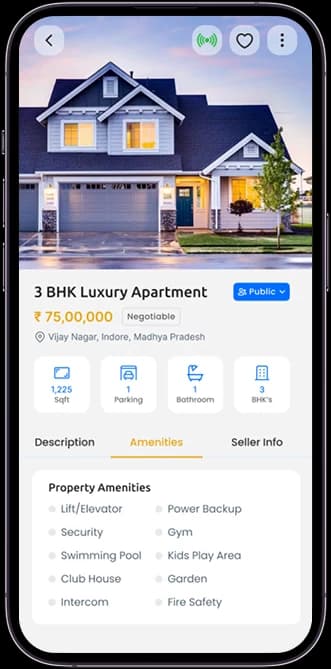
Listing photographs sit alongside detailed property content.
Amenities view
A project-specific screen groups property details and amenities.
Reminder calendar
Date controls and reminder information appear in the artwork.
Personal account
Profile and account navigation form part of the workspace.
How people use it
The GoBroker screens move between entering the account, reviewing a property, and the interface for adding property information.
- 01
Enter the assistant workspace
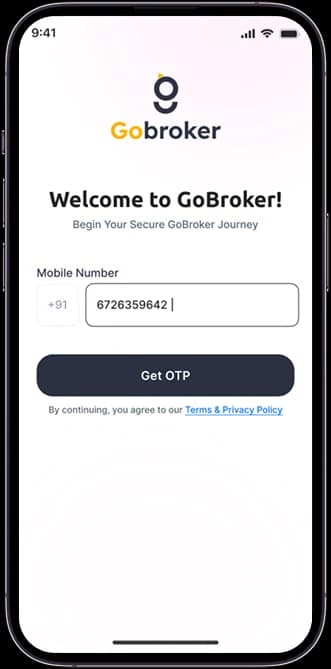
The mobile-number account screen introduces the branded real-estate interface.
- 02
Review a property
A large photograph leads the listing, followed by compact facts and amenity information.
- 03
Explore property entry
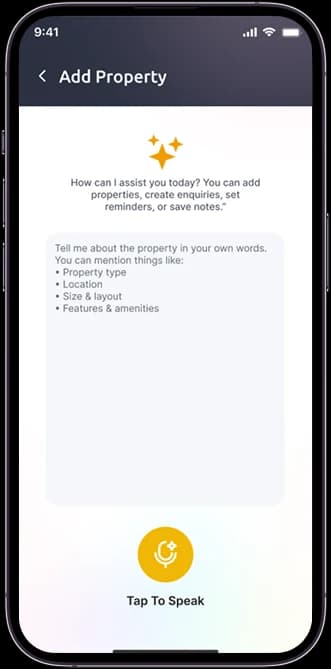
The supplied add-property screen introduces a microphone-led input concept within the same workspace.
Connect property discovery with working information.
A real-estate assistant contains more than listing photography. GoBroker pairs a visually strong property view with quieter information and input screens under a consistent charcoal-and-yellow identity.
The property leads
A large image introduces the listing before the smaller facts and amenity labels.
Details in contained groups
Icons and short information rows organize the more practical property content.
An input concept apart
The microphone-oriented entry screen has its own focused layout instead of competing with the listing.
How it's put together
Design direction
Dark charcoal headers and yellow accents give the product a business-focused identity. Large property images lead discovery, while white details panels and calendar controls provide a more structured view of day-to-day information.
Technical perspective
Listing detail and an input-oriented assistant view.
The artwork distinguishes account entry, property information, and a voice-led property-entry concept. The microphone illustrates an interface idea; speech recognition, transcription accuracy, property publication, and external listing integrations are not established by the source.
Inside GoBroker
Select any screen for a closer look.
Planning something similar?
Building a property workspace? Let's connect a strong listing presentation with focused information-entry tasks.
Get a free consultation
Tell us what you need. A senior engineer replies within one working day.