Glocal Expert.
Web platform · Legal-adviser workspace
A legal-advice workspace presenting requests, case details, adviser information, and account settings in one clear interface.
Bring legal requests into focus.
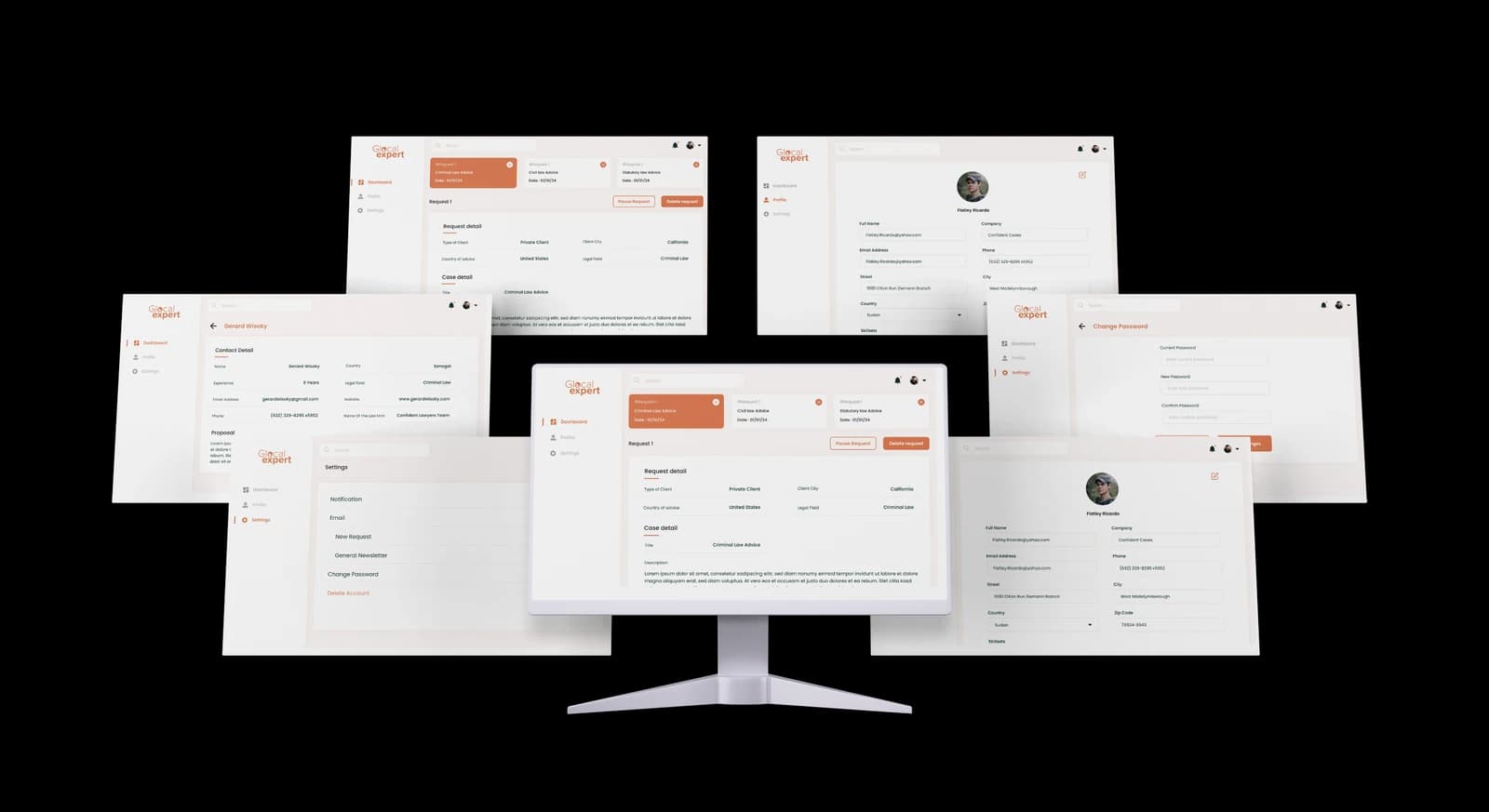
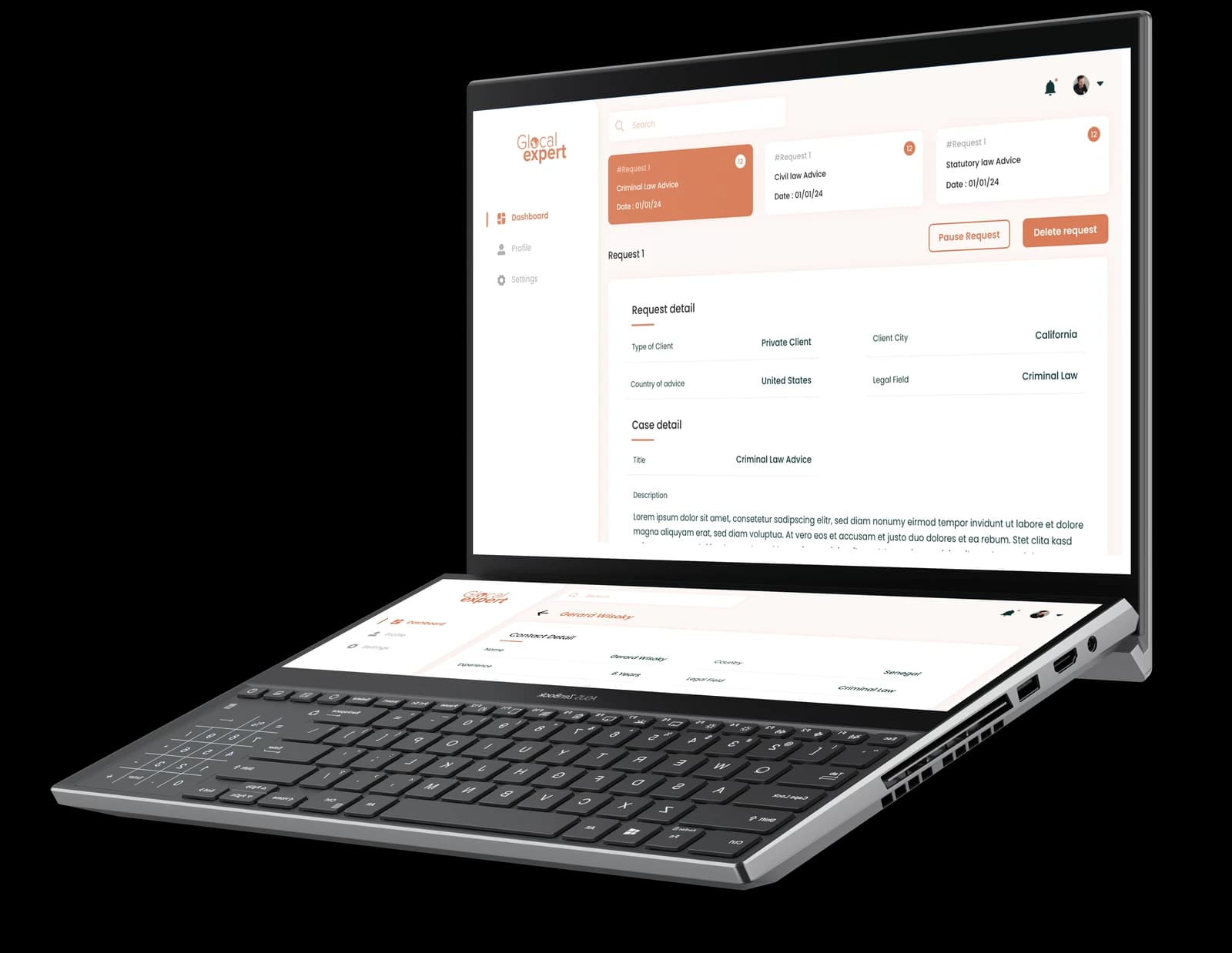
Glocal Expert’s original branded screens organize legal-advice requests alongside case information, contact details, and profile settings. A dashboard distinguishes criminal, civil, and statutory-law requests, while the selected request expands into client context and a case description. Adviser information appears in a separate contact view, and account screens group personal details, notification preferences, and password controls. The recovered artwork provides a consistent view of this legal-services workspace.
What it does
A focused legal-services workspace that connects request categories, detailed case context, adviser information, and personal account controls.
Request dashboard
Distinct request cards organize the legal-advice categories shown in the interface.
Case context
The selected request groups client type, country, legal field, and descriptive case information.
Contact and profile views
Dedicated layouts present adviser contact information and editable personal details.
Account preferences
Settings screens organize notification choices, password fields, and account controls.
How people use it
The original Glocal Expert screens move from an overview of requests to the selected case and the people or preferences associated with the account.
- 01
Review the request overview
Separate cards identify the legal-advice categories displayed on the dashboard, with an orange highlight marking the current selection.
- 02
Read the case context
A dedicated detail panel groups the client, location, legal field, and case description beneath the selected request.
- 03
Explore contacts and preferences
Separate profile, contact, and settings layouts keep personal information and account controls outside the main request view.
Give a detailed legal request a clear structure.
A request brings together legal categories, client context, descriptive information, and adviser details. The supplied interface separates these information types so the selected case remains the main focus.
A visible request selection
Repeated category cards and a warm accent distinguish the current request from the surrounding overview.
Structured case information
Aligned labels group client and legal context before the longer description, making different levels of detail easier to scan.
Separate account areas
A persistent sidebar gives profile and settings their own space, preserving continuity without crowding the case view.
How it's put together
Design direction
Warm orange highlights identify the selected request, active navigation, and primary actions against pale surfaces. A persistent sidebar separates the dashboard, profile, and settings, while aligned labels divide detailed records into readable groups. The original laptop and multi-screen compositions show how the same visual system connects these views.
Technical perspective
A connected request and profile presentation.
The recovered branded artwork establishes request categories, structured case details, contact records, and account preferences. These screens support the information architecture shown here; they do not disclose the implementation stack, professional verification process, messaging services, or external legal integrations.
Inside Glocal Expert
Select any screen for a closer look.
Planning something similar?
Building an expert-advice platform? Let's give its requests, people, and next steps a clear place in the experience.
Get a free consultation
Tell us what you need. A senior engineer replies within one working day.