Fynmate.
Mobile app · Loan-adviser workspace
Fynmate’s archived composition shows a Digi-Loans-branded adviser interface with earnings records, profile information, and document fields.
A structured workspace for adviser information.
The Fynmate composition contains Digi-Loans-branded mobile screens for an adviser-oriented workspace. Earnings summaries and individual records appear alongside a visiting-card profile, document-selection fields, and account entry. The case study follows that visible financial-services interface without attributing lending decisions, payout operation, or external integrations to the project.
Archived as Fynmate. The supplied project composition and detail screens contain Digi-Loans branding; this page describes that visible interface without asserting a separate client identity.
What it does
A loan-adviser workspace shown through earnings records, a visiting-card profile, document fields, and account entry.
Earnings records
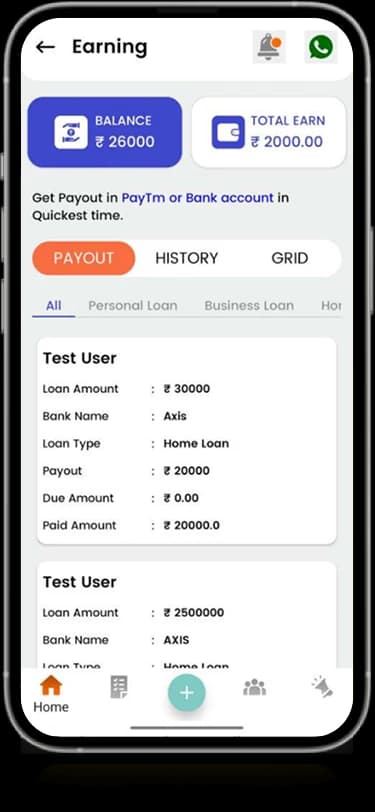
Summary modules and repeated entries organize the displayed financial-service information.
Visiting-card profile
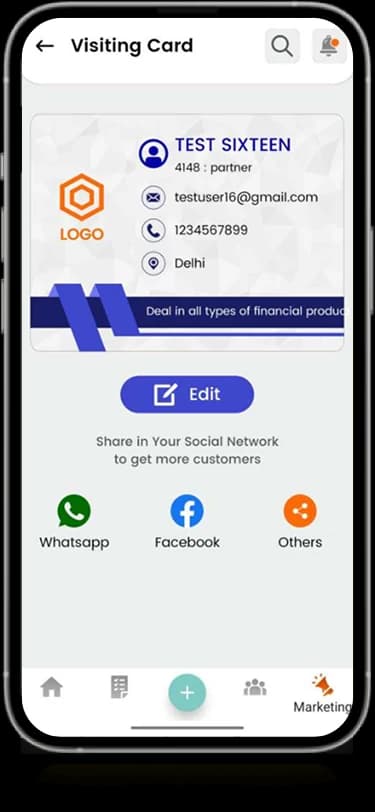
A dedicated screen groups contact and personal presentation details.
Document fields
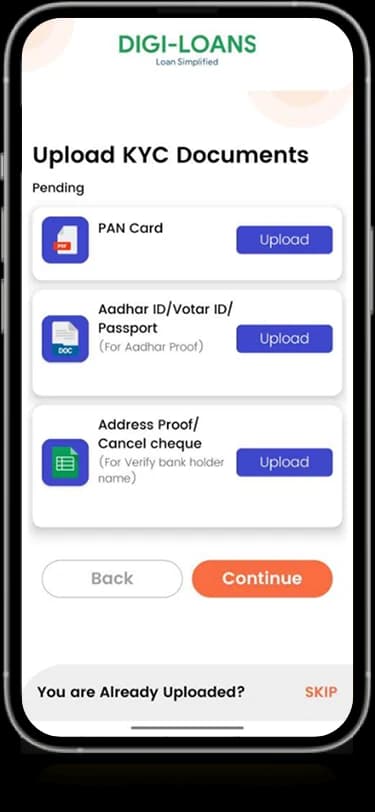
Labeled choices divide the information requested in the source document-entry interface.
Adviser account
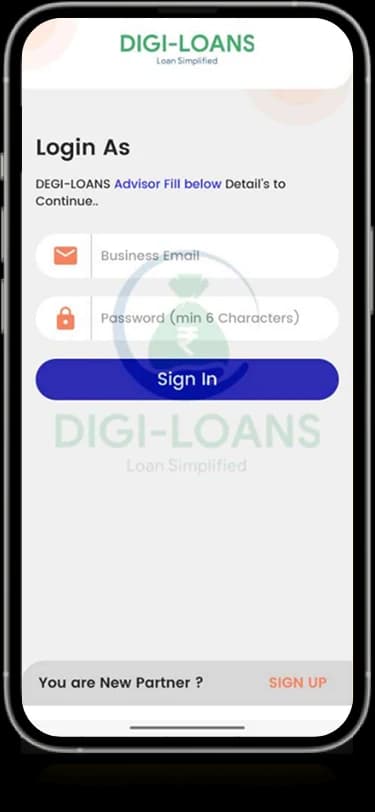
Digi-Loans-branded sign-in screens identify the account context shown in the composition.
How people use it
The Fynmate archive composition contains Digi-Loans-branded screens connecting partner identity with financial-service records.
- 01
Enter the adviser account
The sign-in view identifies an adviser-oriented account within the Digi-Loans-branded source screens.
- 02
Review the work information
An earnings-oriented layout groups individual records beneath compact summary information.
- 03
Inspect profile and documents
A visiting-card view and labeled document choices provide separate personal and information-entry surfaces.
Organize an adviser workspace around different tasks.
Profile information, earnings records, and document fields require different levels of detail. The supplied Fynmate composition gives each a distinct panel while preserving recurring controls and accent colors.
Summary before records
Compact top-level information introduces the more detailed entries below it.
A dedicated identity surface
The visiting-card screen groups the displayed contact and profile information.
Documents in labeled groups
The document-entry screen separates the requested information into individual rows and actions.
How it's put together
Design direction
Blue-violet actions, white cards, and small warm accents connect the adviser’s account, profile, and record views. Summary figures sit above denser earnings information, while document choices use repeated rows to keep the entry task organized.
Technical perspective
Partner identity and structured information views.
The visible architecture distinguishes adviser entry, profile presentation, earnings records, and document selection. This describes the source interface; lender integrations, document verification, financial calculations, and payout operation are not established by the artwork.
Inside Fynmate
Select any screen for a closer look.
Planning something similar?
Designing an adviser-facing workspace? Let's make identity, records, and document tasks easier to distinguish.
Get a free consultation
Tell us what you need. A senior engineer replies within one working day.