EStrata.
Web platform · Case operations
An operations workspace presenting dashboard summaries, case records, task tables, findings, and account access.
Bring cases and working records into one view.
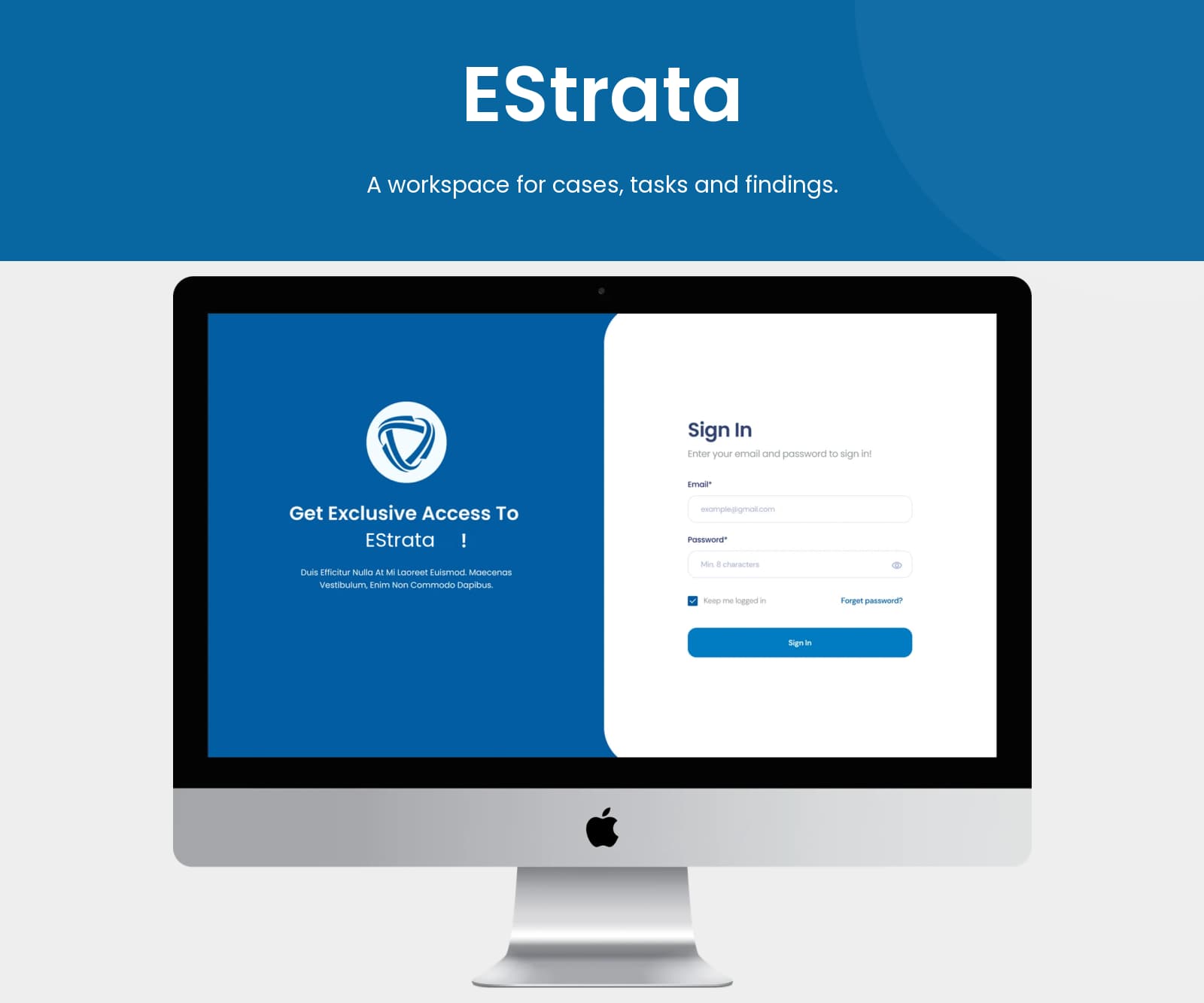
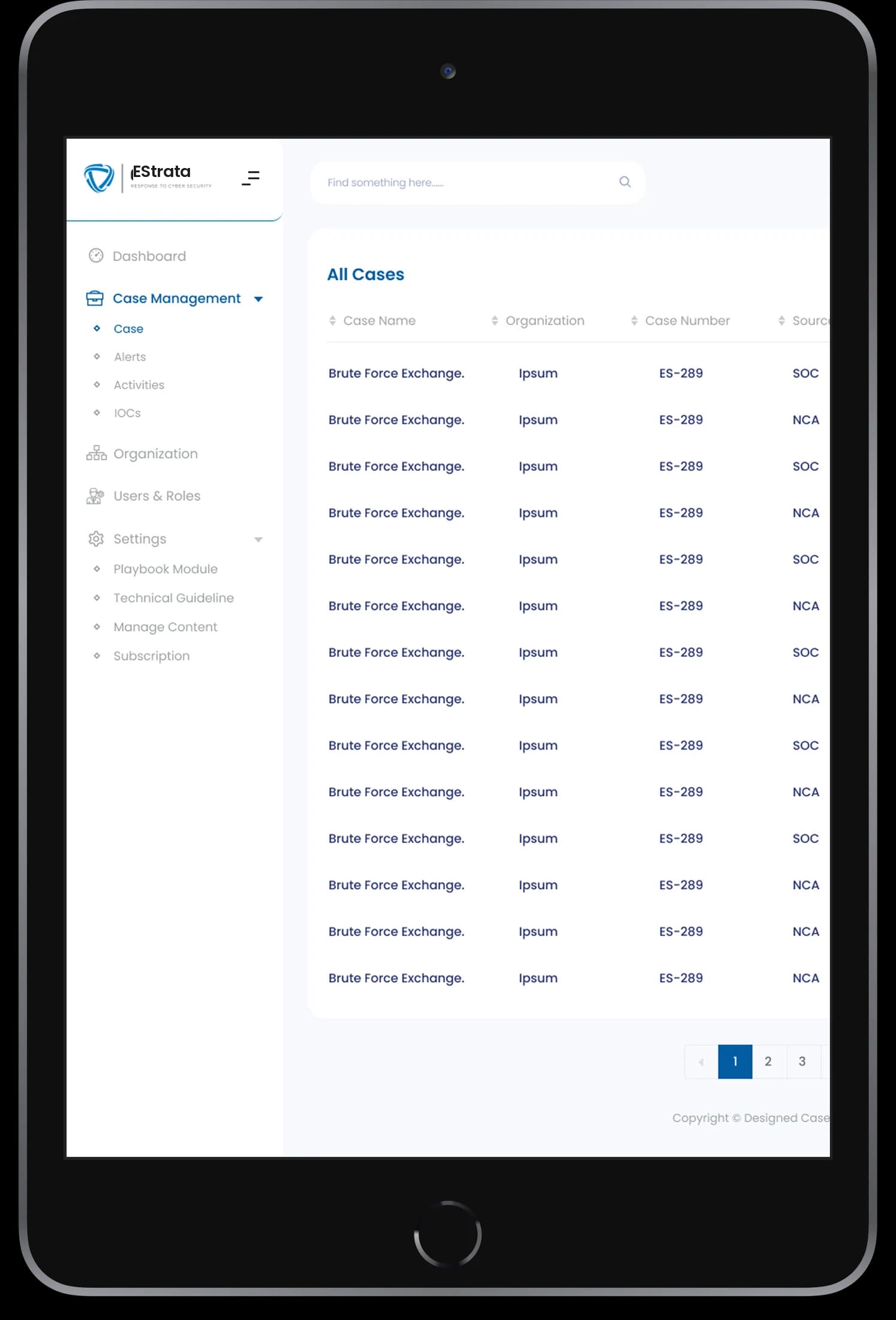
EStrata’s artwork connects an information-rich dashboard with detailed case work. A persistent sidebar organizes the workspace, while tabular views align case records and findings for scanning. Summary, task, note, and finding tabs keep different kinds of working information within the same administrative frame. A separate sign-in interface provides the entry point.
What it does
A case-oriented workspace with dashboard summaries, structured records, finding tables, and persistent navigation.
Summary cards
High-level information appears in a row of dashboard modules.
Case records
Aligned rows and labeled columns organize the displayed cases.
Tasks and findings
Dedicated tabs and tables separate working records by their purpose.
Sidebar navigation
Persistent navigation organizes the platform’s sections.
How people use it
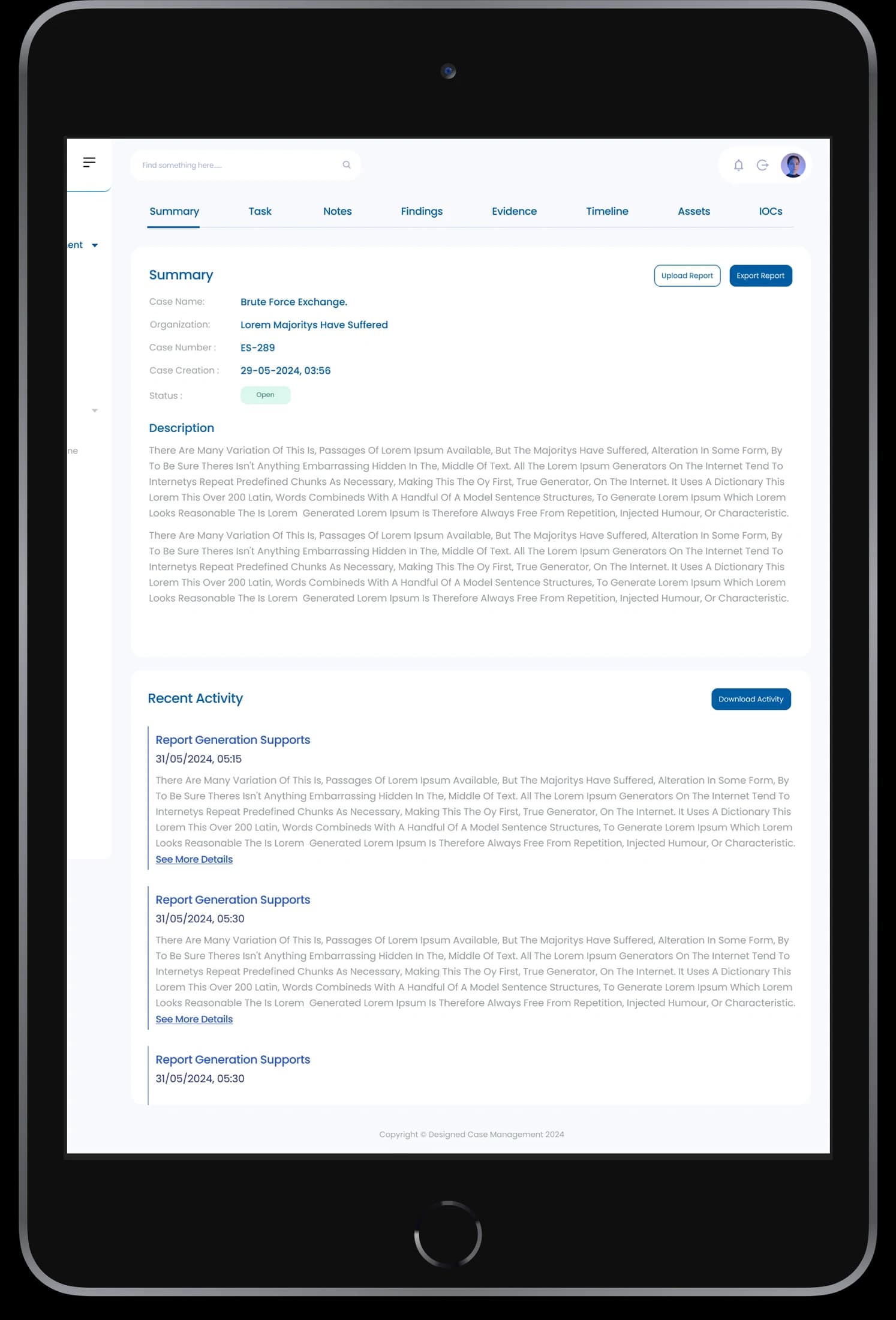
EStrata connects a high-level workspace with the more detailed records that support an individual case.
- 01
Review the workspace
Summary modules and navigation establish the main information areas in the dashboard composition.
- 02
Open a case record
Tabular case views organize individual entries into aligned, scannable rows.
- 03
Inspect the working information
Summary, task, note, and finding tabs give each information type a dedicated surface.
Move between an overview and detailed records.
Case work involves different information densities. EStrata keeps summary areas, tabular lists, and detailed notes within a shared administrative frame so the case context stays visible.
A persistent location
Sidebar navigation keeps the workspace structure visible as the content changes.
Records with alignment
Columns and repeated rows give case information a consistent scanning pattern.
Dedicated detail surfaces
Separate tabs give notes and findings more room than a dashboard card.
How it's put together
Design direction
Blue highlights, pale surfaces, and compact white cards structure the dashboard. The design uses clear visual separation between headline summaries, charted activity, and tabular records so that different information types can coexist on one screen.
Technical perspective
Summary, case, and finding patterns.
The screen set combines dashboard summaries with case tables, notes, and finding records. These visible view types explain the interface architecture; they do not establish a security backend, case-processing rules, or administrative permissions implementation.
Inside EStrata
Select any screen for a closer look.
Planning something similar?
Organizing a case workspace? Let's connect overview screens with the working records people need.
Get a free consultation
Tell us what you need. A senior engineer replies within one working day.