Printlific.
Case study · Photography & commerce
A photo-printing storefront presenting personalized wall art, product formats, and image-led inspiration.
- Client
- Printlific
- Industry
- Photography & commerce
- Timeline
- Website and mobile app
- What we did
- Mobile app development, Web development, UX/UI design
About Printlific
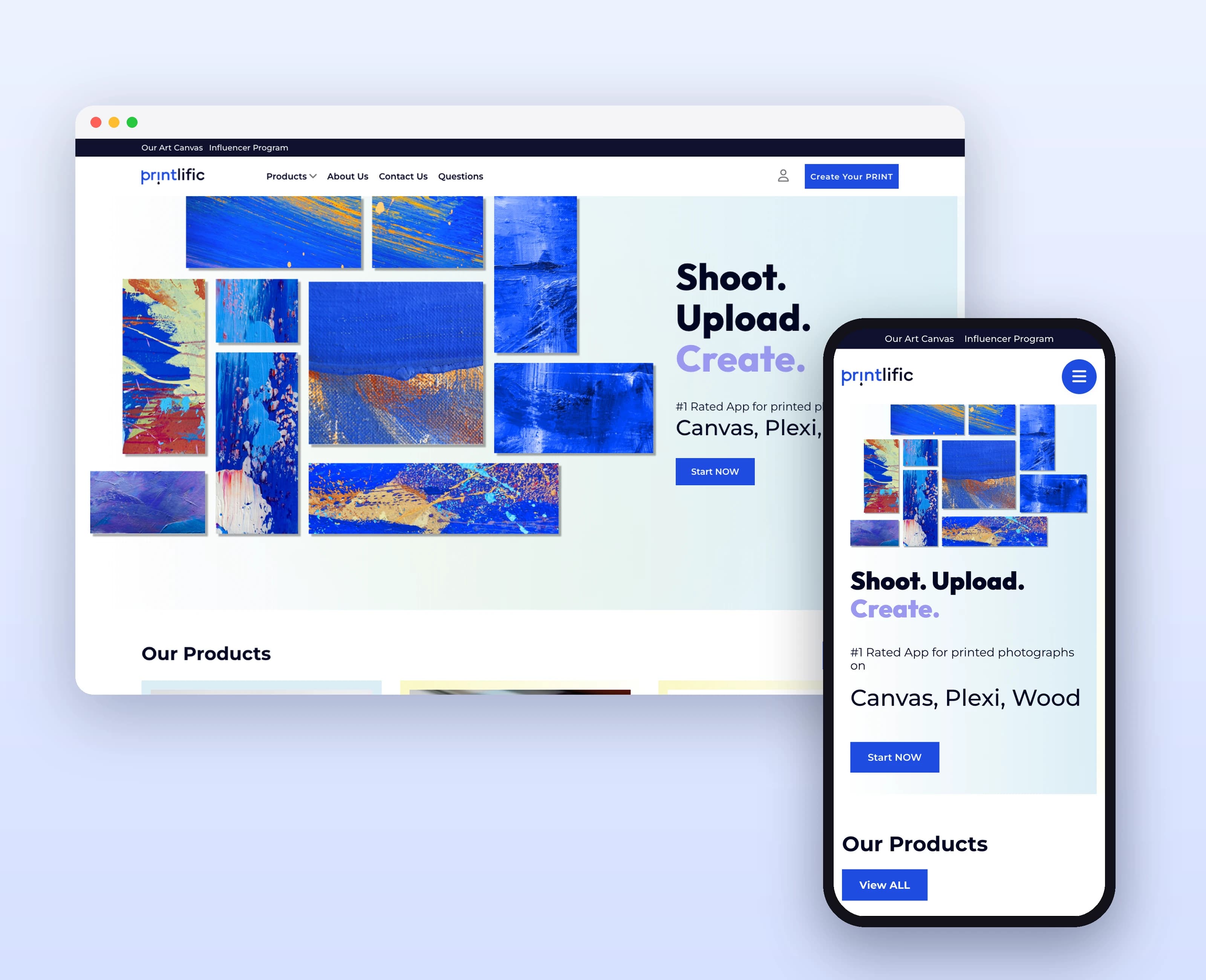
Printlific’s web artwork introduces printed photographs on materials including canvas, plexi, and wood. Product imagery and galleries explain the offering visually, with clear calls to create a print. Its desktop layouts connect creative inspiration with the product-selection side of a printing service.
What we had to solve
The same photograph can look different on wood, canvas, or inside a frame. Printlific's layouts use finished examples and format-specific sections to explain those choices visually.
What we built
Materials made visible: Dedicated product sections show each print format through imagery rather than relying on names alone.
Inspiration with context: Room and product compositions demonstrate how the finished piece might be displayed.
A clear creation entry: Prominent actions connect product browsing with the next stage of personalization.
Choices with examples (app): Product-format imagery helps explain the physical difference between available options.
One image-selection task (app): The upload view separates selecting an image from browsing the product catalog.
What it does
Print formats
The presentation identifies multiple materials for printed photographs.
Create-a-print entry
A prominent action provides an entry point to the personalization flow.
Product showcase
Photographic examples show prints in their intended physical context.
Storefront sections
Product and service information sit within a consistent shopping layout.
Photo selection
Image-based choices introduce the personalization experience.
Product discovery
Print products appear in a visual catalog layout.
Creation entry
Prominent controls lead into the photo-based creation flow.
Personal account
A profile area groups customer information and navigation.
How people use it
The original website connects a photograph's creative potential with the practical choice of a print format.
- 01
Explore the formats
Compare the website's presentations of canvas, wood, framed prints, and other displayed product formats.
- 02
See the finished piece
Review large product photographs showing prints in a physical setting and at different scales.
- 03
Begin a creation
Use the visible creation entry points after finding the product format that suits the photograph.
Inside Printlific
Rich blue, white space, and a compact header frame the artwork. Large image compositions demonstrate the physical product, while modular product sections make different print formats easy to compare visually.
Designed for every screen
Printlific’s mobile interface presents photo selection, print-product discovery, and a personalized creation flow.
Where it is today
A complete website and mobile app for Printlific, designed and built by our in-house team
A product system organized by print format. Print categories, Material presentation, Creation entry points.
Live at printlific.com
Planning a similar product?
Tell us about it and get a scoped plan within one working day.
Get a free consultation
A senior engineer replies within one working day.