Beliri.
Mobile app · Fashion shopping
Beliri’s mobile shopping presentation brings fashion campaigns, categories, product browsing, and customer information into one visual system.
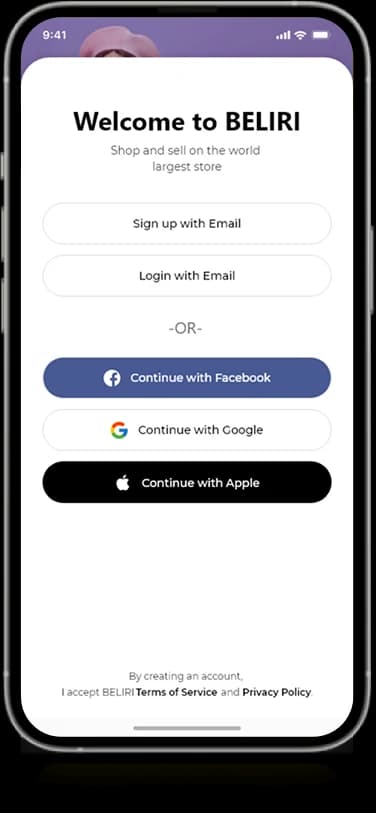
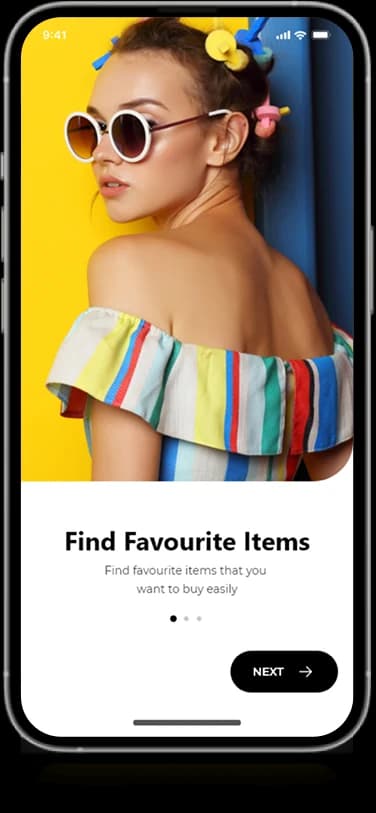
A storefront made for the hand.
The Beliri mobile artwork extends the fashion storefront through campaign-led home screens and product-category browsing. A personal account area and branded entry screens sit alongside the shopping views. The mobile presentation keeps the photographic emphasis of the web product while using more compact content groups.
What it does
A fashion-shopping presentation using campaign imagery, product-led layouts, and a personal storefront profile within a restrained brand frame.
Fashion campaigns
Large image panels introduce featured collections.
Category tiles
Visual choices organize the shopping catalog.
Product browsing
Product-led sections carry the main shopping content.
Customer profile
An account screen groups personal information and navigation.
How people use it
The mobile Beliri designs move from a branded welcome into fashion discovery and a more detailed personal storefront view.
- 01
Enter the fashion identity
The introductory screens establish a strong black-and-white frame around the brand.
- 02
Explore the collections
Fashion photography and product categories introduce the image-led shopping content.
- 03
Review the storefront profile
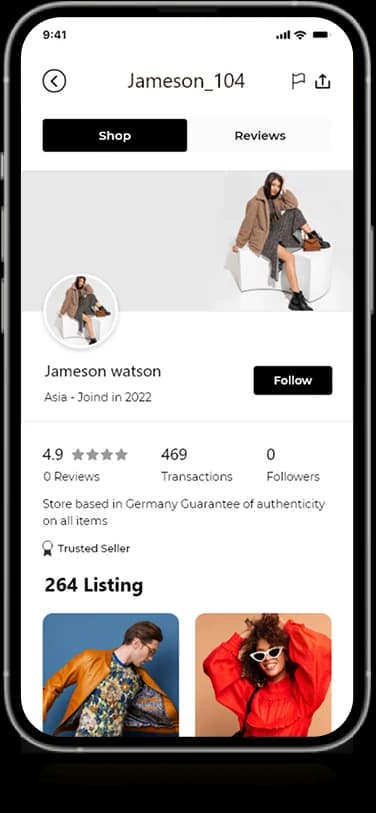
A personal profile groups identity, short information, and listed items within a more detailed view.
Carry editorial fashion into a compact interface.
A mobile storefront needs expressive imagery and smaller, practical information groups. Beliri keeps the interface colors restrained so fashion photographs remain the main source of visual character.
A restrained brand frame
Black and white connect introductory screens with the more colorful product imagery.
Photography as content
Campaign and item images receive stronger emphasis than decorative interface elements.
A structured personal view
Identity details and product listings are organized into separate areas of the storefront profile.
How it's put together
Design direction
Black brand surfaces contrast with white cards and colorful fashion photography. Category tiles and product imagery create a modular browsing rhythm, while the restrained interface colors keep the collection in focus.
Technical perspective
Brand entry, catalog imagery, and profile modules.
The supplied mobile screens combine introductory states with product-oriented browsing and a profile-based listing view. Repeated image groups and compact labels establish the visual structure, while the brand frame stays consistent across content types.
Inside Beliri
Select any screen for a closer look.
Planning something similar?
Taking a fashion brand mobile? Let's preserve its editorial identity while giving the catalog a clear structure.
Get a free consultation
Tell us what you need. A senior engineer replies within one working day.